

Ewelina Podrez-Siama · tools and lists
Free AI SEO tools
Six tools I built for my own audits, plus two lists. Free, no sign-up.
LLM SEO tools check what search engines and language models can learn about your site: whether they recognize your brand as an entity, whether their bots are allowed to read your pages and actually visit them, and whether your content made it into the data AI models learn from. Each tool here answers one of those questions.
free tools,
no sign-up
bots and user agents
in the list
lists I keep
up to date
Tools
My free LLM SEO tools
Each one answers a question I kept asking in client audits. If you work on a personal brand or a company, start with the Entity Observatory.
Tool
Entity Observatory
How does your site describe a person or a company? Visualize your entity. Enter a page URL, a JSON-LD snippet or a Wikidata ID and see the entity and its relations as a map and a table. It also compares your sameAs links with Wikidata.

Tool
Are you in Google’s Knowledge Graph?
You enter: a person’s name, a brand or a kgmid. You see what Google’s Knowledge Graph Search API returns and whether it matches Wikidata and Wikipedia. The API shows only part of the Knowledge Graph.
Tool
Is your site in Common Crawl?
Is your site in the archive AI models learn from? You enter: a domain. You see how many pages CCBot saved in the last six crawls and whether anything blocks it.

Tool
AI Bots in Logs
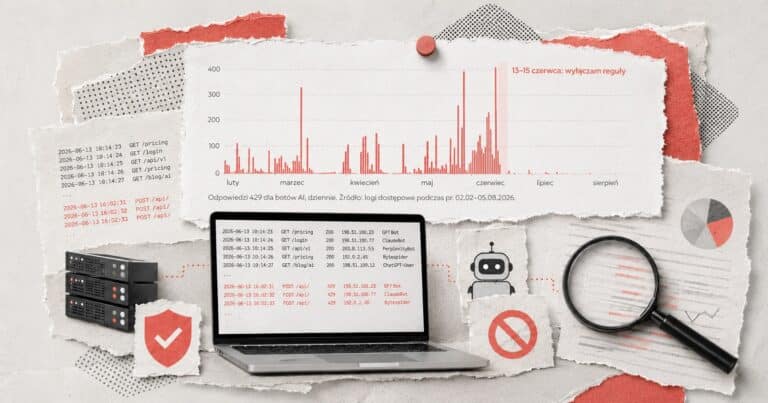
Which AI bots really visit your site? You enter: a server log file. It stays in your browser. You see which AI bots came, whether their IP addresses are confirmed and whether your server turned any away, plus what Googlebot does and where your crawl budget goes.

Tool · Beta
Who typed these Search Console queries?
Some queries in Search Console look like nothing a person would type into Google. You enter: a Search Console export (ZIP or CSV). It stays in your browser. You see which queries look like prompts, search operators or tool footprints.
Tool · New
Can AI bots read your site?
What does your robots.txt let AI bots do? You enter: a domain or the text of your robots.txt. It checks 56 bots and tokens, from GPTBot and ClaudeBot to __usage_ai-training, with Googlebot and Bingbot for comparison.




Lists
Two lists I keep up to date
Not tools in the strict sense, but I use them just as often: one to identify bots in server logs, the other to see how old a model’s knowledge is.
List · 148 entries
What bot is this?
A searchable list of crawlers, AI bots and user agents: who runs them, what they do and how to handle them in robots.txt.
Table
AI knowledge cutoff dates
How current is the data in ChatGPT, Claude, Gemini and Grok? Cutoff dates checked against provider documentation.


Looking for the other SEO and AI tools I use every day, free and paid? My full list of 40 is in Polish: Narzędzia SEO.
Questions
Questions about the tools
What are LLM SEO tools?
Tools that check what search engines built on language models can learn about your site: ChatGPT, Gemini, Perplexity, Google’s AI Overviews and AI Mode. They don’t track rankings. They answer questions such as: does the model recognize your brand as an entity, are its bots allowed to read your pages, do they actually visit them, and did your content end up in the data AI models are trained on.
Are these tools really free?
Yes. No account, no email, no paid version. I built them for my own audits and client work and made them public. If something doesn’t work or a feature is missing, every tool page has a short feedback form.
What happens to my files and the data I enter?
Your files stay with you. A server log, a Search Console export, a JSON-LD file in the Entity Observatory or a robots.txt you paste is read in your browser and never leaves your computer. Three tools do send what you type to the podrez.pl server: the Entity Observatory (a page URL), the Knowledge Graph checker (a name or kgmid) and the robots.txt checker (a domain). The server fetches the public data and sends it back to your browser. I keep no list of the addresses, names or domains people enter. The Knowledge Graph checker keeps Google’s answer for 24 hours under a hash of the query, and the robots.txt checker keeps hashes for rate limits for up to a day. Neither stores what you typed. The Common Crawl checker asks Common Crawl straight from your browser, and Wikidata and Wikipedia requests go straight to Wikimedia. Google Analytics gets only events, such as the mode you used, the type of result or a file size bracket, never what you enter or upload. Each tool page has a Privacy section that says exactly what goes where.
Which tool should I start with?
It depends on your question. Working on a personal brand or a company? Start with the Entity Observatory, then check the Knowledge Graph. Wondering whether AI bots can reach your content? Run the robots.txt checker first, then load a server log into AI Bots in Logs to see who actually comes.
What next
The tools show you the data. Not sure what to do with it?
That is what I work on with clients in AI search visibility and personal brand SEO. Send a short brief: your site and what the tool showed.