
Tool · Search Console · beta
Who typed these Search Console queries?
Not every query in Search Console was typed into a regular Google search. Some are prompts, operators and tool footprints (traces that tools leave in queries).
Drop your Search Console export and see which queries look like prompts from AI Mode or from monitoring tools, how many impressions and clicks they get and what your CTR looks like without them. You also get a ready-made regex to paste into the Search Console filter.
The tool at a glance
operators, tool templates, addresses and long questions. Together I call them footprints. Each query lands in one group at most.
for the Search Console filter. Use it to show only the footprints or to hide them.
because your browser reads the export. Nothing reaches my server.
is what an export from the interface holds. The tool tells you when your file is cut off.
How it works
Four kinds of queries nobody just types into Google
Where to get the file. In Search Console open Performance → Search results (Discover has no queries), set the date range, e.g. 3 months, and click “Export” in the top right → “Download CSV”. You’ll get a ZIP. Drop it into the tool as it is, no need to unzip.
The tool checks every query in the export against rules in a fixed order: tool templates, addresses, operators, length and finally quotation marks. Each query lands in one group at most, so the totals add up. Here are the four groups on real queries from my own Search Console.
"brand24" -site:reddit.com -site:twitter.com -site:x.com -site:wykop.pl -site:tripadvisor.com …Search operators. Quotation marks and “-site:” exclusions. That’s how a brand mention monitoring tool searches. Here it’s my own Brand24 project: 582 impressions, 0 clicks.
according to wikidata, what is marketing hub? answer don't know if there is no wikidata article.Tool template. The same pattern with the name swapped: marketing hub, sales hub, content hub. Looks like a language model test.
https://index.commoncrawl.org/cc-main-2025-21-indexAddress instead of a query. Someone, or a script, pasted an address into the search box. 80 impressions.
kto w polsce prowadzi konsultacje seo dla firm, które mają już własny zespół marketingowy?Long question. 14 words and a question mark (Polish for “who in Poland runs SEO consultations for companies that already have their own marketing team?”). That’s how people write prompts, in AI Mode or in an AI monitoring tool. The tool can’t tell which, and it doesn’t pretend to.
All examples are real queries from my own Search Console.
A long question starts at 8 words by default. You can change the threshold from 6 to 12 in the result. At 7 words my list also picks up “ile kosztuje dedykowane szkolenie seo dla firmy?” (“how much does a dedicated SEO training for a company cost?”), which looks like a prompt too.
This is a beta version and the grouping is a hypothesis. The best proof is in my own data: the tool counts “marka osobista w czasach ai i generatywnego wyszukiwania” (roughly: “personal branding in the age of AI and generative search”) as a long question, and that’s simply the title of my Polish book that someone searched for. So treat the result as illustrative, a starting point for your own analysis.
Where they come from
Where prompts and tool footprints in Search Console come from
Search Console shows the queries your site appeared for. It doesn’t say who typed them. I usually see four sources.
AI Mode in Google. People type into it the way they’d chat, and since June 2025 Google has counted AI Mode in the Performance report, together with regular search. Those questions look like prompts because they are.
AI visibility monitoring tools. Some of them run prompts in Google to check AI Overviews and AI Mode. On podrez.pl at least 23 long questions are my own prompts from two such tools.
Brand and rank monitoring tools. They search with operators, e.g. “brand” -site:reddit.com -site:x.com. I found that template on 17 of the 23 sites I checked. The full story, ending with my own Brand24 project, is in my post on what Search Console was actually counting.
Tests and scripts. A series like “according to wikidata, what is…? answer don’t know…” with the name swapped, or an address pasted into the search box, is more likely a script than a person.
Honest about the data
What a Search Console export won’t show
1,000 rows at most. An export from the interface keeps the thousand queries with the most clicks and impressions and cuts the rest. Tool footprints usually have few, so they fall off the list. On podrez.pl one in six queries looks like a prompt or a tool footprint in the API data (no 1,000-row limit, 16.5%), but only one in nine in a 1,000-row export (11%).
How to get around it. Copy the regex from the result, click “+ Add filter” → “Queries” → “Custom (regex)” in the Performance report, keep “Matches regex” and then export. You’ll get up to 1,000 rows of footprints only, and Chart.csv will show their impressions day by day.
No anonymized queries. Search Console hides rare queries to protect searchers’ privacy. In my Search Console that’s roughly one impression in five (18%). If the ZIP includes Chart.csv, the tool shows what share of your impressions the file covers.
CSV only. The tool reads the ZIP with CSV files or just Queries.csv. It recognizes the headers in English, Polish, German, French, Spanish, Italian, Czech and Dutch, among others. With another interface language it picks the queries table by its structure and says so in the result. It doesn’t read XLSX or exports to Google Sheets.
Privacy
Your file never leaves your browser
The tool unpacks the ZIP and does all the counting on your computer. The only things it loads from podrez.pl are its own code and, if you click the example button, the example file. Your file doesn’t reach my server and nothing is saved: close the tab and the result is gone.
What I measure. Google Analytics only gets three kinds of events: the tool ran (on the example or on your own file, with a file size bracket such as “100–999 rows”), a result was copied or downloaded (the regex with its word threshold, the list or the CSV) and an error code if a file didn’t load. No queries, no numbers from the file and no file name, and only if your cookie settings allow it.
Result
What the result shows
-
Share of footprints – how many queries, impressions and clicks fall into each group and how many into everything else.
-
CTR and position without footprints – next to the same figures for the whole file, so you can see straight away whether footprints skew your averages.
-
Regex for the filter – ready to paste into Search Console, with an adjustable length threshold for long questions.
-
List for a spreadsheet – queries with their group and reason, to copy or as a CSV file. Queries posing as formulas are neutralized.
Before you change anything
What to do with the result
- Don’t delete data, filter your analysis. Footprints are still impressions of your site. To judge CTR and keyword positions, use the “Doesn’t match regex” filter.
- Read the long questions yourself. Some were typed by real people in AI Mode. If they’re about your offer, they tell you what customers ask.
- Compare the list with your own prompts. If you monitor your visibility in AI, some long questions are probably your own prompts. In my case at least 23.
- Check your own tools for the “-site:” template first. Before you start hunting for whoever monitors you, look at your own projects in brand monitoring tools. I searched for a long time and it was me.
- When impressions jump or drop, compare clicks. Impressions from scripts can appear and vanish overnight. More in my post on the autumn impressions drop.
Tools and lists
More tools and lists
Free and no login. Each one answers a single, specific question.

Tool
Entity Observatory
See a page’s structured data as a map of relations, with the Wikidata record next to it.

Tool
Are you in Google’s Knowledge Graph?
Type a name and see whether Google knows you as an entity and whether that matches Wikidata.
Tool
Is your site in Common Crawl?
Check whether CCBot saves your pages and what it saw in robots.txt.

Tool
AI bots in logs
Upload a server log and see which AI bots really visit and whether your server turns any of them away.
Tool
Can AI bots read your site?
Check what your robots.txt lets GPTBot, ClaudeBot and other AI bots do.
Searchable list
List of bots and user agents
A searchable list of bots: who runs them, what they do and how to set them in robots.txt.



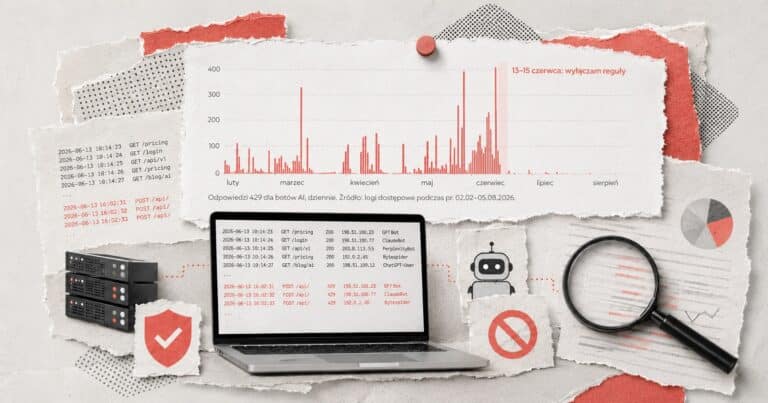


The robots.txt file is a declaration. To see how your server responds to requests posing as GPTBot or ClaudeBot, try High Five, AI! by Maciej Chmurkowski.
Further reading
Posts on Search Console and AI search
Post
6.9 million impressions, one click
What was Search Console actually counting, and where the autumn 2026 impressions drop came from.
Post
Grounding queries in Bing Webmaster Tools
The queries Copilot runs behind your citations, and what they tell you.
Post
Server log analysis
Before you think about visibility in AI, check whether bots can reach your content at all.



Frequently asked questions
How do I find prompts in Search Console?
^(\S+\s+){7}\S.Does a long question always mean AI Mode?
Where do “-site:” queries in Search Console come from?
Why does the tool see fewer footprints than there really are?
Should I remove these queries from my reports?
Do you upload my file to a server?
Does it work with exports in other languages or with XLSX?
Built by Ewelina Podrez-Siama, in SEO since 2009. Latest version of the tool: 1.0.5, November 12, 2026.
I tuned the rules on data from my own Search Console. The example in the tool is illustrative: a small slice of the podrez.pl statistics, not the full traffic data (selected queries from Aug 10–Nov 9, 2026, with sensitive data removed).
Search Console is a Google service and this tool isn’t affiliated with Google.
What’s next
Search Console numbers not adding up?
Impressions down while clicks hold, odd queries, a CTR that doesn’t match the position: that’s where I start when I analyze Search Console data with clients. I’ll show you which numbers are yours and which ones scripts added.
Rather talk first?
Send me a short brief and I’ll tell you what to check first.
Feedback
Something not working or got an idea?
I build these tools myself and keep improving them, so every note helps. Tell me what happened or what you’re missing. If something broke, add your browser and device (phone or computer) and I’ll find it faster.