
![Knowledge Panel Not Showing? Your Google Business Profile May Be Blocking It [CASE STUDY]](https://podrez.pl/wp-content/uploads/2026/07/gsc-genai-442x442.jpg "Knowledge Panel Not Showing? Your Google Business Profile May Be Blocking It [CASE STUDY]")
Wikidata filled in, schema deployed, citations growing, resultScore in the Knowledge Graph API climbing. And yet on your branded query – the search for your brand or your own name – instead of a Knowledge Panel, Google shows… a Google Maps listing. And you can’t tell whether that’s a problem, or exactly how it’s supposed to be.
A few weeks ago I faced this exact dilemma. My Knowledge Panel existed – verified, claimed, reachable under its kgmid address. But for the branded query “Ewelina Podrez-Siama“, Google displayed a business listing I had set up myself years earlier. The panel waited in the background while the Google Business Profile sat in its seat.
So today I’ll explain why these two elements compete for the same space, how I made the decision to delete the listing, and what happened next. But above all: how to assess whether this applies to your case at all. Because this is an article about making a business decision you cannot undo.
Why isn’t the Knowledge Panel showing?
The right rail of the search results page (SERP) on desktop can display several things – most often a Knowledge Panel or a Google Business Profile. They occupy the same space. When an entity has both an entry in the Knowledge Graph and an active listing in Google Maps, the search engine has to choose.
From my observation, within the location tied to the listing, Google always picks the listing. From a different IP, a different city or country, the same branded query may already show the Knowledge Panel. That’s an extra complication rarely talked about: your Knowledge Panel may exist and work – and you may simply never see it, because you’re sitting inside your own listing’s range.
Jason Barnard (Kalicube) confirms this pattern – he treats GBP as a Local Business Knowledge Panel, a separate panel type occupying exactly the same space as the entity panel. Barnard also points out that geolocation differences in panel display are bigger than they seem, even for personal brands.
Google’s official documentation doesn’t describe this directly. Industry observations, however, are consistent with what I saw in my own case. We can treat it as a strong correlation.
The practical takeaway: check your branded query from more than your own computer. A VPN, incognito mode with a different location, SERP preview tools for different places – that’s diagnostic hygiene.
How many companies have a Knowledge Panel at all?
Only 34% of companies get a Knowledge Panel on their branded query, and 31% have nothing in the right rail at all. Companies with a Wikipedia article have a panel in ~52% of cases — without Wikipedia, just 28%. Having a Knowledge Panel isn’t the standard. It’s a differentiator.
(source: Kalicube Pro, March 2026, based on monitoring of 45,000+ companies. Kalicube tracks companies with a developed digital presence — for the average business, the share with a panel would be lower.)
What a Knowledge Panel says that a business listing never will
For me the difference was intuitive before it became analytical. A GBP listing says: here’s where to find me, here’s when we open, here’s what customers say. It’s a tool for a local business or an SAB (Service Area Business).
A Knowledge Panel says something entirely different: this is who this person is, what they do, what they’re connected to, where they’ve been written about. It’s the algorithmic business card of an expert – not on the literal map, but on the map of meaning.
Barnard puts it sharply: he calls the Knowledge Panel “Google’s stamp of approval” and points out that the right rail of the SERP is the only place where Google presents information as fact. The left column is opinions and recommendations. Users don’t analyze this consciously, but they subconsciously treat information in the right rail as more credible. And whether that rail holds a map with a pin or a panel with your expertise makes a difference.
The CTR paradox
According to a SISTRIX study (80 million keywords, mobile data), the presence of a Knowledge Panel on a branded query lowers the average CTR of position #1 from 28.5% to 16.7%. The direction is clear: the panel “steals” clicks from organic results, because the user gets the answer without clicking. But — it’s your answer, presented as fact by Google. For an expert’s personal brand, that’s precisely the effect you’re after — you don’t need the click, you need the recognition.
Why this is more urgent than a year ago
A 2025 Pew Research Center study (March data, 68,879 queries from 900 users) shows organic CTR drops to 8% when an AI Overview appears (versus 15% without one). Only 1% of users click the sources inside an AI Overview. The space where a personal brand controls what the user sees is shrinking — and the Knowledge Panel is one of the few places that still grants that control.
The question worth asking before you read on: what do I want to appear for my name or my brand? A map with a pin, or a panel with my expertise?
My case: the listing that eclipsed the panel
I set up the Google Maps listing years ago, in a completely different context. After launching two cookbooks (published two months apart thanks to pandemic printing delays) and changing my surname to a double one, my search results filled up with online bookstore offers, price comparison sites and ads. Pages far stronger than my personal one-pager at the time.
The listing was meant to stabilize the branded query, to give me a point of control in the right rail. And it did – I wrote about it in my 2023 book SEO dla blogerów, influencerów i marek osobistych (SEO for bloggers, influencers and personal brands – in Polish).
But time passed. The entity grew: Wikidata, schema, brand mentions, an ID in the Knowledge Graph API. My Knowledge Panel had appeared about two and a half months earlier – roughly 12 hours after I finished organizing my data in Wikidata, a story I tell in the articles: Knowledge Graph and Knowledge Panel and From String to Entity. How I Made AI Recognize Who I Am.
I claimed the panel and passed verification (a selfie with my ID and screenshots proving access to my social media accounts), which let me suggest edits. The panel existed and worked – at the address https://www.google.com/search?kgmid=/g/11md2bpb8_.
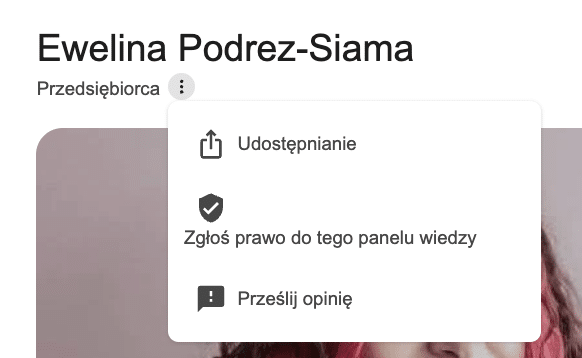
But for the query “Ewelina Podrez-Siama“, it never showed. In its place, Google displayed the GBP listing – with my company’s address, opening hours and a handful of reviews.
Having a panel in the Knowledge Graph and seeing it on your branded query are two different things.
The problem wasn’t a missing entity, a missing panel or failed verification. The problem was what occupied the panel’s seat on the SERP.
The working hypothesis? The listing blocks the panel in my location. But a hypothesis is not certainty – and before I deleted anything, I had to calculate what I’d gain and what I’d lose.
A decision you won’t make in five minutes
Before deleting the GBP listing, I had to answer a few questions — and none had an obvious answer.
What do I gain?
The Knowledge Panel presents me as an entity — an expert, an author, a strategist. The listing presents me as a point on a map with opening hours. On a branded query, I want to be recognized for what I do — not for where I sit (which, in my case and in the remote-work era, is debatable anyway).
What do I lose?
Reviews — irreversibly, because once the profile is deleted they cannot be restored. Plus visibility in Google Maps, an easy contact point for local clients, and a listing history built over years. I had a handful of reviews — not many, and the decision still had a price. With a few dozen, it would cost more.
What happens if the Knowledge Panel doesn’t appear on the branded query?
An empty right rail. No panel, no listing. But in my case the panel already existed — verified, populated, reachable under its kgmid. The risk was smaller than acting blind. If your entity doesn’t exist in the Knowledge Graph — deleting the GBP unblocks nothing. Without a diagnosis there is no decision — there’s a gamble.
Is this decision reversible?
No. You delete a listing once. You can create a new one, but the old history doesn’t come back. In theory, Google Support can migrate reviews to a new listing — but that requires contact within a window of a few weeks and is not guaranteed.
Who does this even apply to?
An expert, a consultant, an author — someone whose personal brand matters more than their physical location. Not a restaurant, a clinic, a brick-and-mortar store. If your customers look for you on a map — the listing matters more than the panel.
The procedure: what I did, and in what order
Let me repeat the context, because it matters: my Knowledge Panel had existed for about two and a half months. It appeared roughly 12 hours after I organized my data in Wikidata. The rights were claimed and confirmed. The panel worked – it just didn’t show where I wanted to see it.
The sequence that unblocked the panel on the branded query:
1. Confirming the panel was active. I checked the kgmid, the resultScore in the Knowledge Graph API, the verification status. The panel existed, had data, had claimed rights. This is the precondition – without it, the next steps have no basis.
2. Switching the listing to SAB (Service Area Business – a listing without a physical address). This is the key step, and the easiest to skip. I didn’t delete the listing right away. First I changed its type, so Google had time to disconnect me from the specific location. Had I deleted a listing with a physical address, I’d have risked the address surviving as an “orphaned” point on Maps.
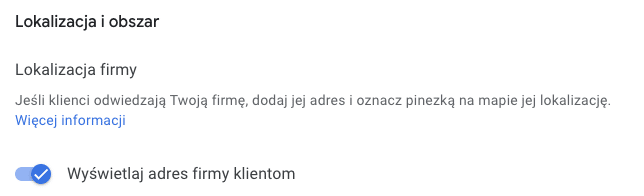
3. About a week of waiting. That’s how long the real disconnection from the physical address took. I monitored whether the address was disappearing from the listing and from Maps, including iframes embedded on other sites.
4. Backing up the listing data at takeout.google.com. Will I ever use it? I don’t know – but a backup is worth having.
Worth underlining here: once the profile is deleted, the reviews are gone. There is a theoretical rescue path – a new listing with the same NAP data plus contacting Google Support – but it only works within a window of a few weeks, requires luck, and comes with no guarantee.
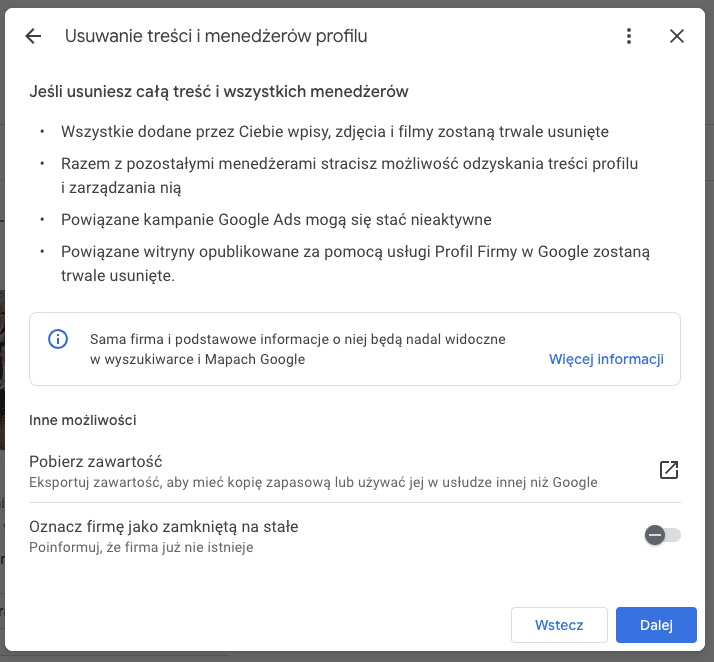
5. Only at this stage: deleting the listing — removing all content with the “mark as permanently closed” box unchecked. This distinction is critical: “mark as closed” leaves the listing in the results with a “permanently closed” label. I wanted the listing gone – not left standing with a tombstone.
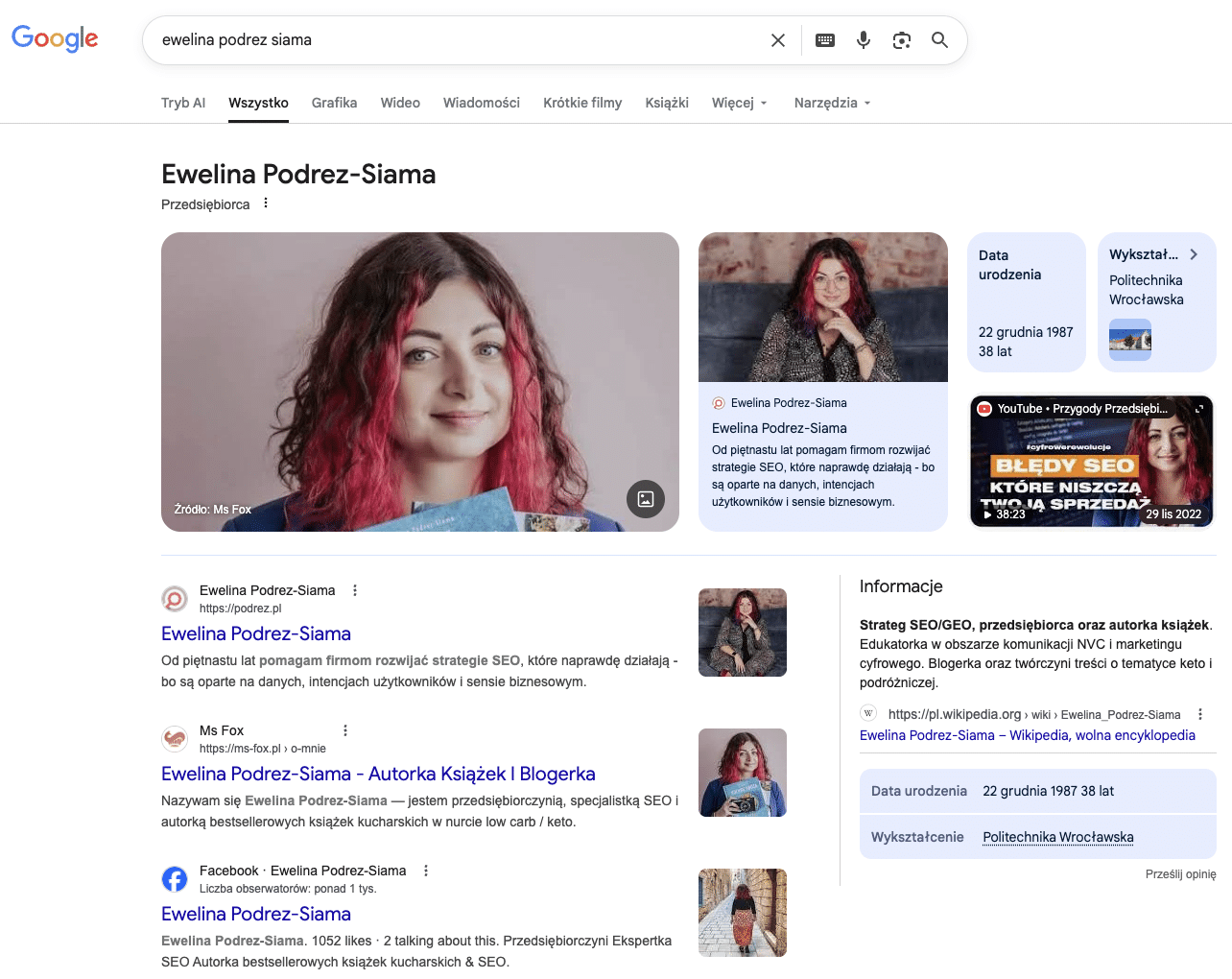
6. The listing disappears from search results within an hour. The Knowledge Panel appears on the branded query within the next hour.
The result? A panel that already existed finally got its seat on the SERP.
A reservation I have to state clearly: this sequence is not universal. It worked because the entity already existed in the Knowledge Graph, the panel was verified, and I had spent weeks watching SERP behavior from different locations.
It’s not enough to read these six steps and click “delete”. First comes the diagnosis, then the decision on whether the balance of gains and losses is on your side.
“Delete” ≠ “mark as permanently closed”
The distinction looks cosmetic, but it has real consequences. “Mark as closed” leaves the listing in the results with a permanently closed label — which, for a personal brand, can look worse than the listing itself. Deletion is irreversible, but clean: the listing vanishes without a trace. I unchecked the “mark as closed” box deliberately. I wanted the listing gone — not left with a tombstone.
The bigger picture: what we saw at Fox Strategy
After deleting the listing and seeing the panel appear on the branded query, we started preventively auditing the Knowledge Panels of our clients at Fox Strategy. We checked: does the entity exist in the Knowledge Graph, does it have a panel, has anyone claimed it, and what appears on the branded query from different locations. It turned out that not all large brands had claimed their panels – even though the entities existed.
Between “you have an entity” and “the entity works for your brand” lies a chasm. A Knowledge Panel can exist in the Knowledge Graph and never show on the SERP. A GBP listing shows — but doesn’t say what you want to communicate. That chasm is worth measuring before you change anything.
This is the point that’s easy to miss in day-to-day SEO work, because the branded query feels like a “handled” topic. The brand has a website, has social media, has rankings. And then it turns out the right rail lives a life of its own — and nobody ever checked it from another city.
Diagnostic tools
Before you make any decision — establish the facts. None of the tools below require a budget or a developer.
Google Knowledge Graph Search API
Check whether the entity exists and what its resultScore is. If the result is empty — there’s no entity, and nothing to unblock. I walk through the two-minute how-to in the write-up of my I♥Marketing talk.
Knowledge Graph search tool
Simpler than the API, built by Jakub T. Jankiewicz of the WikiZEIT project. Type a phrase, get a result with a Knowledge Panel preview — even if the panel doesn’t display directly on the branded query. The interface is in Polish, but the output is universal. It helps you decide before you delete anything.
→ wikizeit.edu.pl/tools/graf-wiedzyGoogle Search with the kgmid parameter
A direct view of the panel. If you know your identifier (you’ll find it via the API), type google.com/search?kgmid=/g/YOUR_ID and you’ll see what your panel looks like regardless of whether it triggers on the branded query.
VPN or SERP previews from different locations
Check whether your panel is already showing somewhere your listing’s range doesn’t reach. If you see the panel from another country and the listing from home — you have confirmation of the mechanism described in this article.
Kalicube Pro
Jason Barnard’s paid platform for Knowledge Panel monitoring — resultScore tracking, industry benchmarks, change analysis over time. Kalicube Pro data (45,000+ companies) is the source of the statistics cited in this article.
Instead of a summary
Before you start building an entity from scratch: check whether you’re blocking your own way. Sometimes the biggest obstacle isn’t a lack of signals – it’s a signal you sent years ago and forgot about. Opening hours, a pin on a map, three reviews, and an algorithm that dutifully shows all of it instead of the panel with your expertise.
I’m not suggesting everyone should delete their listing – far from it. I’m suggesting that everyone should know what appears on their branded query, and decide whether that’s exactly what they want to communicate. If it isn’t – that’s not a technical problem. It’s a business decision you keep postponing.
Book · currently in Polish
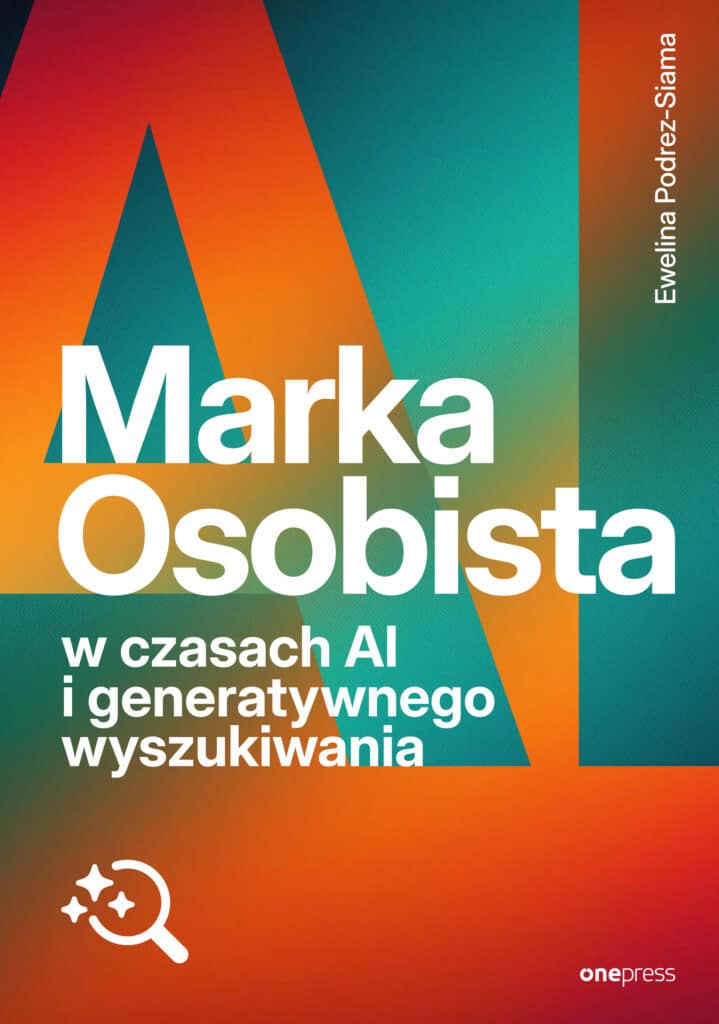
Marka osobista w czasach AI i generatywnego wyszukiwania
Algorithms stopped looking for keywords. They’re looking for you — and they’ll either understand you or skip you. The full playbook, with case studies like this one, is in my book (Onepress/Helion, June 2026). The mechanisms, in English, live on this blog.
About the book →Keep reading on podrez.pl
If you’re just starting to organize your presence in the Knowledge Graph, start with these articles:
- Wikidata Step by Step — where to begin if your entity isn’t in the Knowledge Graph yet.
- Knowledge Graph and Knowledge Panel — the mechanism that makes the panel appear (or not).
- From String to Entity. How I Made AI Recognize Who I Am – my SEO origin story.
- Your Brand in LLMs: What RAG Knows About You — why controlling the SERP isn’t the end of it: LLMs read the same sources.
- Common Crawl — the training layer: how to check whether AI systems can see your site at all.
Sources
- Barnard, J. (2022, updated 2024). Google Business Profile: What You Need To Know. Kalicube. kalicube.com
- Barnard, J. (2022, updated 2024). Right Rail of a Google SERP: What You Need To Know. Kalicube. kalicube.com
- Barnard, J. (2022, updated 2025). Google Knowledge Panel: What You Need To Know. Kalicube. kalicube.com
- Barnard, J. (2023, updated 2026). What Kinds of Information Can Be In My Company Knowledge Panel? Kalicube. Data: Kalicube Pro, March 2026, 45,000+ companies. kalicube.com
- SISTRIX (2020, updated 2025). Why (almost) everything you knew about Google CTR is no longer valid. Study of 80 million keywords. sistrix.com
- Pew Research Center (July 2025). Google users are less likely to click on links when an AI summary appears in the results. March 2025 data, 900 adults, 68,879 queries. pewresearch.org
