

From this article you’ll learn how to get into Wikidata and edit an entry, what to add, what to avoid, and why I consider it one of the single most effective things you can do for a personal brand in 2026.
What is Wikidata?
Wikidata is a sister project to Wikipedia, run by the Wikimedia Foundation – and yet it differs from Wikipedia in a fundamental way.
Wikipedia collects encyclopedic articles written by people, for people. Wikidata collects facts in structured form – readable by humans and machines at the same time:
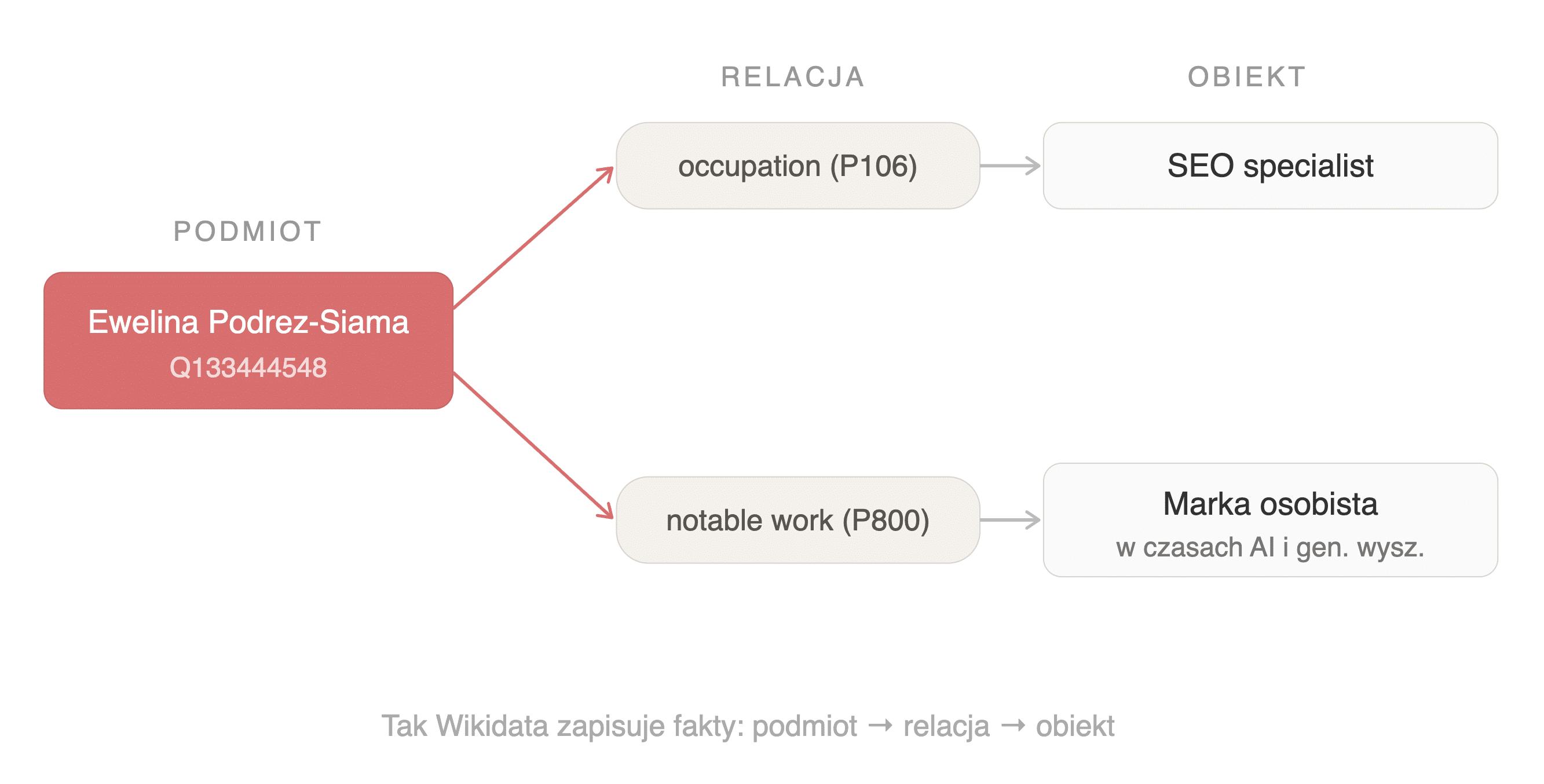
- Every object in Wikidata has a unique identifier starting with the letter Q. A person, a company, a book, a conference, a concept – everything gets its number (mine is Q133444548).
- To each object you can assign properties: profession, publications, awards, connections to other entities, and the sources confirming each fact.

via Wikimedia Commons
Wikidata launched in 2012. Today it holds more than 1.65 billion statements describing people, places, organizations, and the relationships between them. The data is released under a CC0 license in the public domain, which means anyone can use it – commercially too.
And this brings us to the heart of the matter: who uses that data?
Why does Wikidata shape the way we think about entities?
If you work in SEO, you probably know what a Knowledge Panel is – the information panel that shows up in search results. If you don’t, there’s an example below.
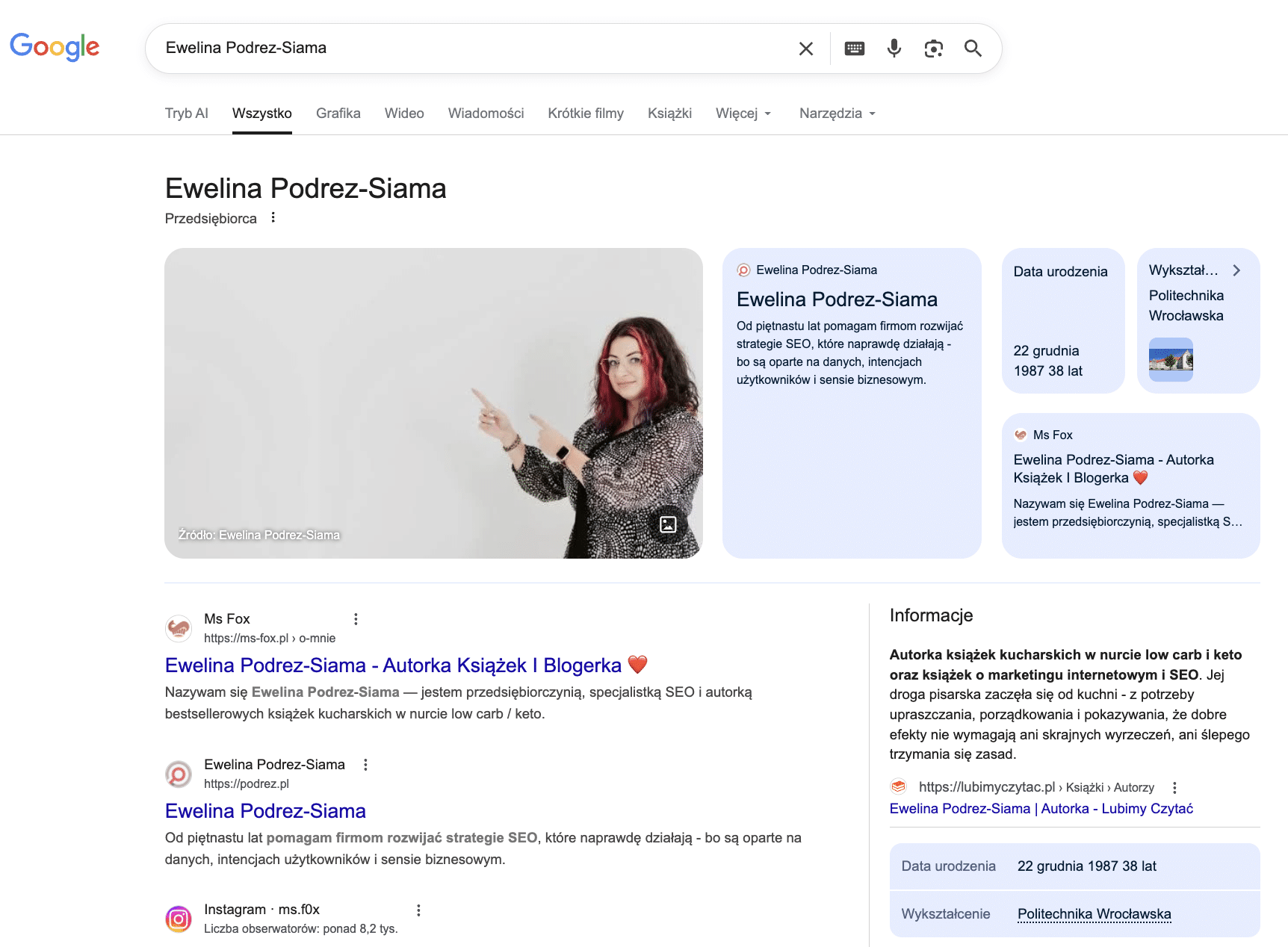
But now ask five SEOs where Google gets the data for that panel, and four will likely say Wikipedia. Wikidata? Often silence. Or a vague sense that it’s “something connected to Wikipedia.”
The topic does get mentioned by my good friends Roman Rozenberger, who built a tool for visualizing entities from Wikidata, and Szymon Słowik in his article on the Knowledge Graph. But beyond them, in Polish SEO, Wikidata often doesn’t exist as a working tool.
Which is a shame, because it’s one of those places where, with relatively little effort, you can change the way algorithms understand you.
Google documents in its patents how it uses structured knowledge bases, and publishes research that backs it up.
In 2022, two Google Research teams, working in two separate approaches, showed that models trained on Wikidata data answer factual questions better:
- Dos Santos et al. created so-called knowledge prompts – something like an external cheat sheet for a language model, trained on 1.1 million entities from Wikidata. A model with that cheat sheet answered questions like “who founded this company,” “when was this book published,” “which university did this person attend” better – exactly the questions users ask ChatGPT and Google today about experts and brands (the studies measured this on the FreebaseQA, TriviaQA, and NaturalQuestions benchmarks). Google patented this mechanism in 2025 as Soft Knowledge Prompts (US12321706B2). The patent does not prove that every Wikidata entry automatically ends up in Google’s answers. It does point to a direction: orderly knowledge triples can serve models as external memory.
- In parallel, Moiseev et al. (SKILL, NAACL 2022) took T5 (one of Google’s key language models) and trained it directly on facts from Wikidata written as simple triples:
subject → predicate → object,
The result was the same: a model fed with Wikidata connected facts better and answered questions requiring knowledge from several sources at once (including the WikiHop benchmark).
Two teams, two methods, the same conclusion:
a model that “ate” Wikidata understands the world of facts better.
But this isn’t only Google’s concern:
- A review by Agrawal et al. (NAACL 2024, Arizona State University) showed that techniques based on knowledge graphs (including Wikidata) deliver promising results in reducing hallucinations in language models.
- Wikidata is also increasingly used in RAG systems: the FrOG project (Universitas Indonesia / WU Vienna, funded by the Wikidata Research Fund) connects LLMs with Wikidata so that generative answers are anchored in verifiable facts.
- Separately, since October 2025 the Wikidata Embedding Project (Wikimedia Deutschland / Jina.AI / DataStax) has been running – a vector database of Wikidata designed for RAG. As the project’s creators argue, LLMs favor information repeated often across many sources, whereas Wikidata represents each statement only once, offering a more balanced picture.
Denny Vrandečić, the creator of Wikidata, is a co-author of a research paper (2025) arguing that LLMs, knowledge graphs, and search engines are complementary. LLMs generate answers but don’t verify facts. Wikidata supplies verifiable facts but doesn’t generate text. Search engines connect both worlds.
What does this mean for your entity?
Wikidata is one of the fundamental sources that AI systems learn from and reach into – from Google through Perplexity to ChatGPT.
Of course, the algorithms have other sources too that let them recognize an expert, such as:
- Common Crawl,
- Wikipedia, media outlets,
- and industry databases.
Wikidata gives algorithms something those sources don’t: structured, verifiable facts in a format a machine reads natively. Without it, systems have to guess, assembling a picture from scattered, often inconsistent fragments. If they have a coherent entry with attributed sources, they can answer the question “who is this person?” with far greater confidence.
And that’s the difference that translates into a Knowledge Panel, into citations in AI Overviews, into presence in LLM answers.
Your website says “I’m an expert.” Wikidata shows who confirms it.
Google has published its Search Quality Rater Guidelines for years – a document for the people who assess the quality of search results. The instruction is unambiguous:
When assessing the credibility of a person or a page, a rater checks two things separately: what the subject says about itself and what independent sources say about it.
Self-declaration → the starting point.
Independent confirmation → evidence.
The Search Quality Rater Guidelines point directly to a conflict of interest as the reason for the difference – just as a product review written by the manufacturer is less credible than a review by an independent user.
Wikidata is your evidence – as a community project, with moderation, a verifiability policy, and a referencing system. That’s why every statement in Wikidata should be backed by an external source – an article, an entry on a publisher’s website, a bio on a conference page. Your LinkedIn bio doesn’t meet this bar. A publisher’s page showing your book with its ISBN does.
A Wikidata entry significantly increases the probability that a Knowledge Panel will appear for an entity. Wikidata isn’t the only route, but it’s one of the shortest and best-documented.
Jason Barnard of Kalicube, who has “triggered” thousands of Knowledge Panels, notes that with Wikidata the process takes weeks – without it, months. For me, it took… about 12 hours!
But before you run off to create your Wikidata entry, let’s pause for a moment.
What is “notability,” the threshold for getting into Wikidata?
Wikidata has its own notability policy, and many experts fall out of the database because of it – either because they don’t know it exists, or because they disregard it.
An entry is acceptable if it meets at least one of three criteria:
Criterion 1: The item has a page in any Wikimedia project (Wikipedia, Wikimedia Commons, Wikiquote, etc.).
Criterion 2: The item refers to a clearly identifiable entity that can be described using serious and publicly available references.
Criterion 3: The item is needed to complete the statements of another, already existing item.
For an expert, consultant, or entrepreneur, it’s most often criterion 2 that applies. The problem is that “serious references” don’t mean your LinkedIn, your “About” page, or a Facebook post (those can support context, but Wikidata doesn’t treat them as references) – they mean articles in industry or general media in which you’re quoted or described:
- Books with an ISBN published by a recognizable publisher,
- Bios on the pages of conferences, universities, industry organizations,
- Entries in bibliographic databases or institutional catalogs.
Before you open Wikidata – gather your evidence
Before you start building an entry, prepare:
References – links to pages that confirm your existence independently of you: a publisher’s page with your book, a bio on a conference site, an article in the media, an entry in the National Library catalog.
Identifiers – ISBNs of publications, ORCID, VIAF, a link to Google Scholar. The more systems recognize you, the stronger the signal.
A list of facts with dates – profession, university, publications, awards, ties to organizations. Each fact with a link to the source confirming it.
If you don’t have a single reference beyond your own website – before you tackle Wikidata, make sure one comes into being. Wikidata without evidence is building a house starting from the roof.
Wikidata moderators take their role seriously. Entries without sufficient references get removed – sometimes quickly, sometimes after a few weeks, but consistently.
I know this firsthand. My entry for Fox Strategy was removed (work in progress). SEO friends I work with – people with years of experience and concrete achievements – had similar stories.
This is normal: if your first attempt at Wikidata ends in failure, the reason is usually mundane – you’re not giving the moderators enough evidence.
Conflict of interest
Wikidata has one more rule worth knowing. Editing your own entry is formally discouraged – moderators treat it as a potential conflict of interest and may flag your entry as self-promotion.
How to solve it? It isn’t about “getting around” the rules – it’s about meeting the standards. Every statement should be backed by a reference from an external source. Keep the tone of descriptions factual, not promotional – facts, not superlatives. Avoid entering information you can’t confirm with a link to an independent page.
If your books are in the National Library catalog, if your talks are documented on the pages of conference organizers, if industry media has written about you – those are the references that convince moderators. If your only source is your own website, you have groundwork to do before a Wikidata entry is justified.
What to put in Wikidata? Key properties for a personal brand
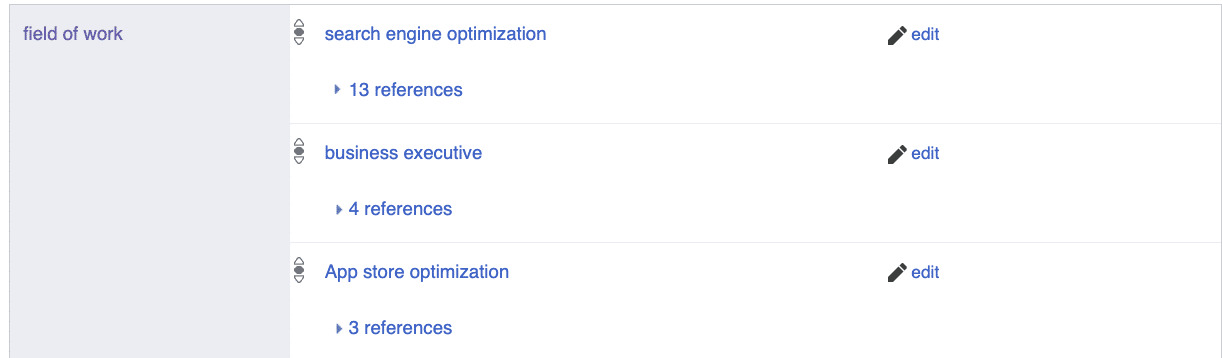
Let’s say you’ve gathered your references. Now it’s time for the entry. Here are the properties that matter most for an expert building a personal brand:
instance of (P31) – always human (Q5). It sounds trivial, but without it a moderator may not know what you’re actually describing.
occupation (P106) – your profession or roles. Don’t enter “expert at everything” – choose entities that already exist in Wikidata (e.g. SEO specialist, writer, entrepreneur). You can list several, and the qualifiers start time (P580) and end time (P582) let algorithms understand the chronology – so your first job from 15 years ago doesn’t show up in the Knowledge Panel as your current occupation.
employer / member of (P108 / P463) – ties to organizations. If your company has a Wikidata entry, link to it. If it doesn’t, consider creating one first (but note: the company has to meet notability too).
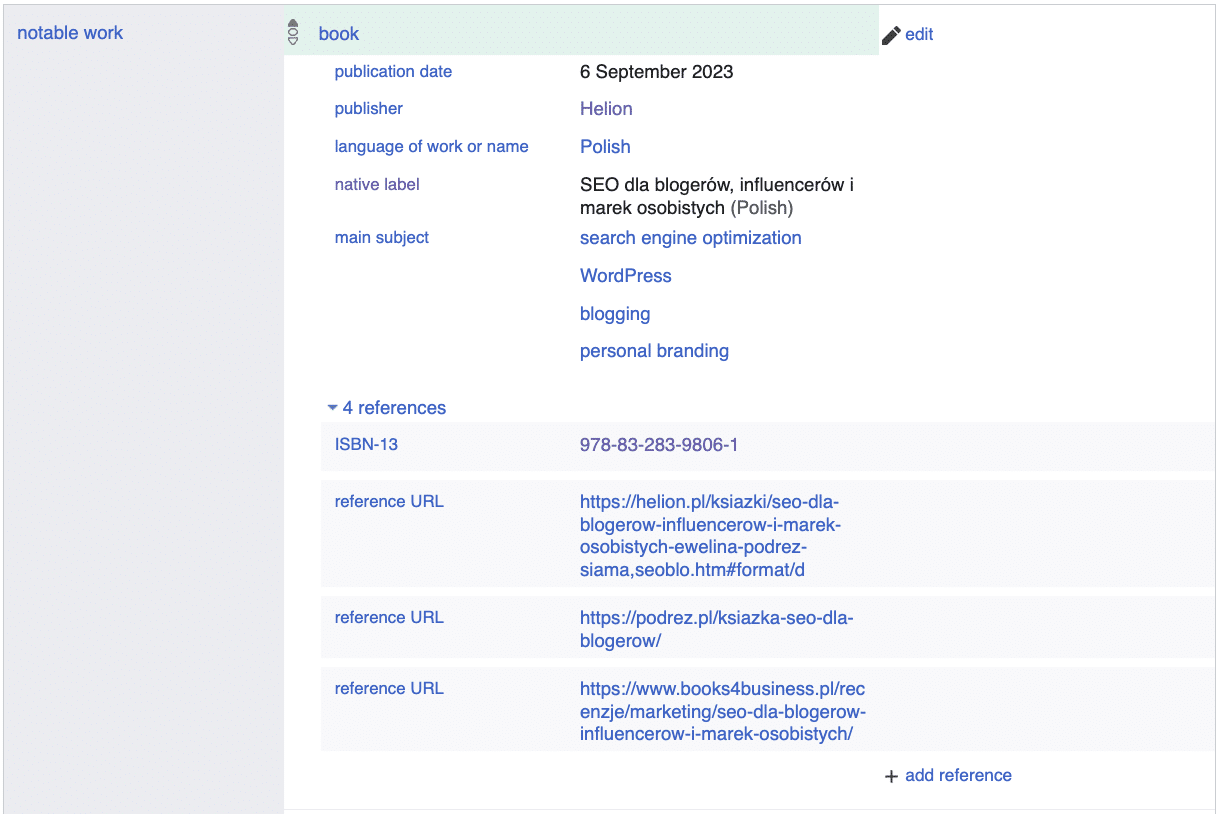
notable work (P800) – your publications, projects, products. Books with an ISBN work exceptionally well here, because they have external identifiers (P957 – ISBN-10, P212 – ISBN-13).
educated at (P69) – university, with a qualifier specifying the field of study and years.
award received (P166) – awards and distinctions. Each with a reference to the source announcing the results.
official website (P856) – your website’s address. One, the main one.
image (P18) – a link to your photo in Wikimedia Commons. This is where Google most often pulls the thumbnail for the Knowledge Panel – without this property the panel may show up without a photo or with a random image.
described at URL (P973) – links to pages that describe you (a bio on a conference site, an article in the media).
External identifiers – LinkedIn (P6634), Google Scholar (P1960), ORCID (P496), VIAF (P214). The more connections to other databases, the stronger the signal: this person is recognizable across many systems at once.
Descriptions and labels – Wikidata is multilingual. Fill in the label and a short description in at least Polish and English. The description should be factual and specific – moderators are very sensitive to this. If you operate under a pseudonym or an abbreviated form of your name, add them as aliases – this helps algorithms link different forms of your name to a single entity.
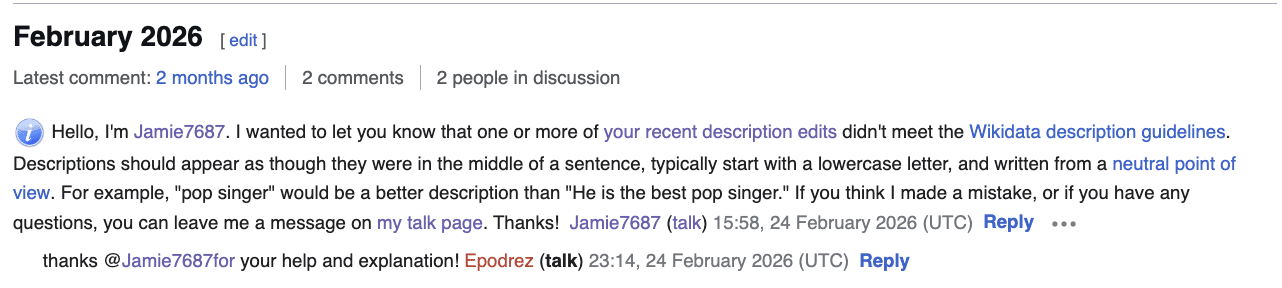
And – I’ll say it once more, because it’s the single most important rule – every statement should have a reference. A source that confirms the fact. And, as far as possible, not yours but external.
What not to do? The mistakes that end in a deleted entry
I’ve seen enough deleted entries to know what doesn’t work:
- Creating an entry with no references at all. An empty entry with just a name is an invitation to deletion. The moderator has nothing to assess notability from.
- Entering aspirations instead of facts. “SEO expert” with no evidence is a declaration, not a fact. Wikidata collects facts.
- Mass-adding properties without sources. Twenty fields filled in a single day, none with a reference – a moderator treats it as spam or self-promotion.
- Expecting an instant Knowledge Panel. A Wikidata entry is a signal for the algorithm, not a switch. The panel may appear after a few days, a few weeks, and sometimes not at all. Google weighs the strength of the signal in the context of all the other data it has about you.
- Creating an entry and forgetting about it. Wikidata is a wiki project – anyone can edit your entry, including bots and anonymous users. Add your entity to your Watchlist and check your notifications. A single change you don’t catch can alter your description or remove references.
Wikidata + schema.org – two sides of a bridge
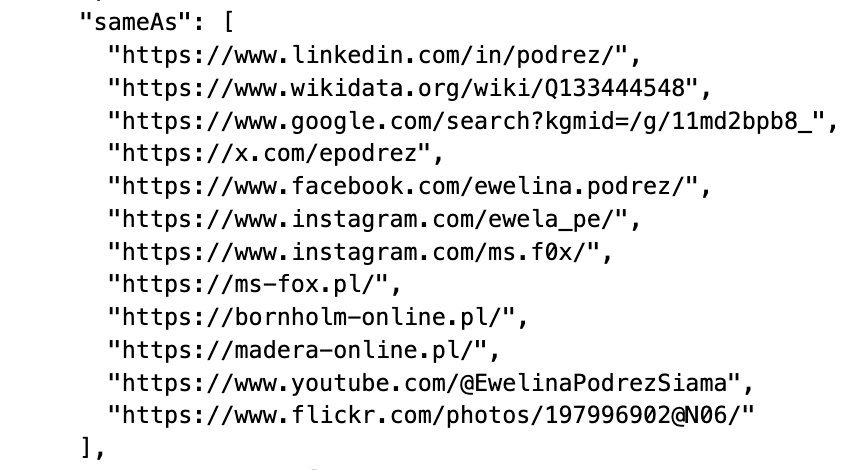
The Wikidata entry itself is half the mechanism. The other half is your website. When you implement Person structured data on your site with a sameAs property pointing to your Q-item in Wikidata, you create a bridge between declaration and evidence. You’ll anchor this bridge best on the page Google treats as your Entity Home – usually the “About” page or the homepage of your personal domain (as podrez.pl is for me).
Wikidata tells the algorithms “this entity exists – here are its attributes.” Your website says “this is my page – and here’s the confirmation of my identity in Wikidata.” Two signals, two directions, one coherent picture.
Once Google recognizes your entity and assigns it an identifier in the Knowledge Graph (the so-called KGMID), you can close the loop: add the Google Knowledge Graph ID property (P2671) in Wikidata, pointing to that identifier. Now Wikidata knows what Google knows about you – and Google knows that Wikidata confirms it. This is a step only for those who already have a Knowledge Panel, but it’s worth knowing about from the start.

📌 Read more on podrez.pl:
How to implement Person structured data → Structured data: Schema in a nutshell (in Polish)
How to diagnose and organize your entity → From String to Entity. How I Made AI Recognize Who I Am
Full case study (resultScore 12 → 43, measured in February 2026 for a Polish-language query; screenshots, code) → chapter 2 of the book Marka osobista w czasach AI i generatywnego wyszukiwania (currently available in Polish)
Wikidata is one of the few places where you can tell the algorithm, in a controlled way, “I exist, here are the facts about me, here are the sources that confirm them.” It’s your structured evidence in a format a machine reads natively.

Most experts never do this, for various reasons: some don’t know Wikidata exists; others know but don’t understand why it would matter; still others try, their entry gets removed, and they give up.
Meanwhile, Google builds the Knowledge Panel from sources it identifies as credible on its own. LLMs answer questions about people based on what made it into the training data (or, in the case of RAG, what they find on the fly). AI Overviews assemble an answer from fragments the algorithm deemed authoritative enough.
Each of these systems works differently – but they all run on the same kind of fuel: structured facts confirmed by sources. Exactly what Wikidata collects.
A Wikidata entry doesn’t guarantee that the gaps in your digital picture will vanish overnight, but it gives these systems something they won’t get from any other page: facts that someone checked before publishing them. And that’s an advantage worth taking before your competition does.
Want to see what the full path looks like – from diagnosing the entity, through organizing Wikidata, to the results in the Knowledge Panel and AI Overviews? I tell that story, with data and screenshots, in chapter 2 of the book Marka osobista w czasach AI i generatywnego wyszukiwania (currently available in Polish).
Want to organize your entity?
Wikidata, schema.org, Knowledge Panel – these are the elements I connect for clients as part of an entity audit. If you’d rather not learn from your own mistakes:
Sources and further reading
- Google Knowledge Graph Search API – documentation, developers.google.com.
- dos Santos C.N. et al. (Google Research), Knowledge Prompts: Injecting World Knowledge into Language Models through Soft Prompts, 2022. Google patent: US12321706B2 (2025).
- Moiseev F. et al., SKILL: Structured Knowledge Infusion for Large Language Models, NAACL 2022.
- Agrawal G. et al., Can Knowledge Graphs Reduce Hallucinations in LLMs? A Survey, NAACL 2024, Arizona State University.
- Hogan A., Dong X.L., Vrandečić D., Weikum G., Large Language Models, Knowledge Graphs and Search Engines: A Crossroads for Answering Users’ Questions, arXiv 2501.06699, 2025.
- Wikidata Embedding Project, Wikimedia Deutschland / Jina.AI / DataStax, 2024–2025.
- Ongris J., Tjitrahardja E., FrOG: Framework of Open GraphRAG, LLM-TEXT2KG Workshop, ESWC 2025.
- Google, Search Quality Rater Guidelines, updated September 2025.
- Wikidata:Notability – the notability policy, wikidata.org.
- Barnard J., Google’s Knowledge Graph: What You Need to Know, Kalicube, 2025.
